
Why Food Photos Determine Your Restaurant's Revenue
We eat with our eyes first. Research from DoorDash and Grubhub consistently shows that menu items with professional photos receive 65% more orders than those without. For delivery apps where customers scroll through dozens of options in seconds, your food photo is the single most powerful sales tool you have.
Yet most restaurant owners are stuck with one of two bad options: spend thousands on a professional food photographer, or use unedited phone photos that fail to capture how delicious their food actually is. AI photo editing tools solve this problem.

Platform-Specific Photo Requirements
Grubhub, UberEats & DoorDash
Delivery platforms have evolved their photo standards significantly. Here is what works on each:
- UberEats: Minimum 320×320px, recommended 1024×1024px. Square format preferred. Clean, well-lit plating on a simple surface. No watermarks or promotional text.
- DoorDash: Recommends 1280×720px (16:9) or 1:1 square. Bright, high-contrast images perform best. Show the full portion size clearly.
- Grubhub: Square images (600×600px minimum). Close-up shots emphasizing texture and color outperform wide restaurant shots.
Google Business Profile
Google recommends high-quality photos at 720×720px minimum. Restaurants with 100+ photos on Google receive 8× more views and 2× more website visits than those with fewer. AI editing makes it easy to build this library quickly.
Instagram & Social Media
For Instagram, use square (1:1) at 1080×1080px, or portrait (4:5) at 1080×1350px for feed posts. Stories are 9:16 at 1080×1920px. Consistent color grading and warm, inviting tones perform best for food content.
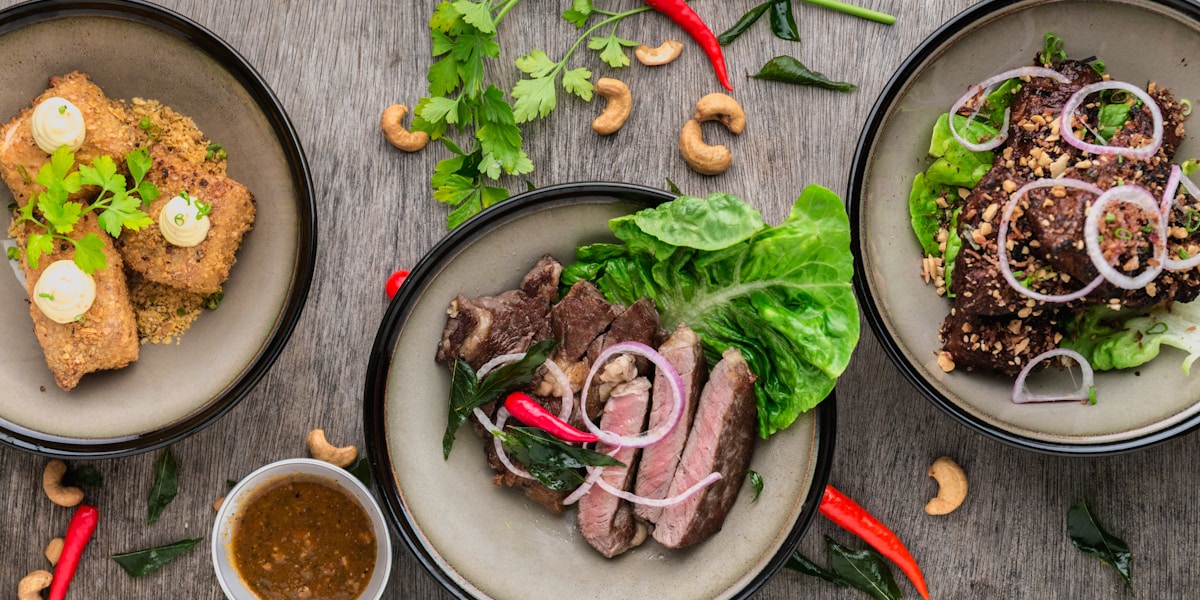
AI Food Photo Editing: Before & After Examples
Here is what AI editing does to typical restaurant phone photos:
- Color correction: Removes yellow cast from indoor lighting, makes greens vibrant, reds rich, and browns appetizing rather than muddy.
- Brightness & contrast: Lifts shadows so dishes look dimensional and appealing, not flat.
- Background cleanup: Removes cluttered table surfaces, replaces with neutral or branded backgrounds.
- Steam & texture enhancement: AI can emphasize the steam from hot dishes and the crispy texture of fried items.
- Plating consistency: All menu item photos get the same lighting and treatment, creating a cohesive look across your menu.
How Different Restaurant Types Should Use AI Editing
Full-Service Restaurants
Focus on 2–3 hero shots per menu section (appetizers, mains, desserts). Use AI to create a consistent color palette across all dish photos. Warm, natural tones with slightly elevated vibrancy work best for dine-in establishments.
Fast Casual & QSR
Speed and appetite appeal are key. Bright, high-contrast images with bold colors drive click-through on delivery apps. AI can process your entire menu in minutes.
Ghost Kitchens & Cloud Kitchens
With no physical storefront, your photos are your entire brand. Invest in 3–5 quality hero photos per menu item. Use AI bulk editing to maintain consistency across multiple virtual restaurant brands operating from the same kitchen.
Food Trucks
Authenticity matters. Use AI to enhance natural lighting and vibrancy while keeping images feeling real and accessible — avoid over-polished studio looks that feel inauthentic for a street food concept.
Comparison: AI Tools for Restaurant Food Photography
| Feature | Hyperistic | Adobe Firefly | Photoroom |
|---|---|---|---|
| Primary Focus | Quick business assets incl. food | Creative AI manipulation | Product & e-commerce edits |
| Food Presets | ✅ Dedicated food presets | ⚠️ General only | ❌ No food-specific |
| Bulk Processing | ✅ 30 images at once | ❌ One at a time | ⚠️ Limited |
| Best For | Restaurants & food delivery sellers | Professional food stylists | Mobile-first product edits |
| Workflow | Preset-heavy & automated | Prompt-based & manual | Background & object removal |
5 Food Photography Rules That AI Can Help You Follow
- The Rule of Odd Numbers: Arrange garnishes in groups of 3 or 5. Odd numbers are more visually appealing. AI styling can suggest compositions.
- Hero the Hero Ingredient: The main ingredient should dominate the frame. AI can sharpen focal points and slightly blur backgrounds for depth.
- Color Contrast: Warm food tones (browns, reds, oranges) pop against cool backgrounds (grey slate, dark wood). AI background replacement makes this easy.
- Top Down vs 45°: Flat lays work for pizza, bowls, and spreads. 45° angles work for burgers, sandwiches, and layered dishes. Shoot both and let AI enhance whichever looks best.
- Fresh Garnish Always: A fresh herb or sauce drizzle photographed immediately and enhanced with AI creates that just-plated look that drives orders.
Start Getting More Orders with Better Food Photos
The difference between a $5 phone snap and a professionally enhanced AI image can mean 65% more orders from the same listing. Try Hyperistic free — upload your first menu photo and see the transformation in seconds. No photographer required.


